WP Pattern Library
WP Pattern Library builds a browsable, screenshotted Markdown design reference from the registered patterns in a WordPress project. Documentation is generated from the patterns themselves, so it can reflect the actual theming.
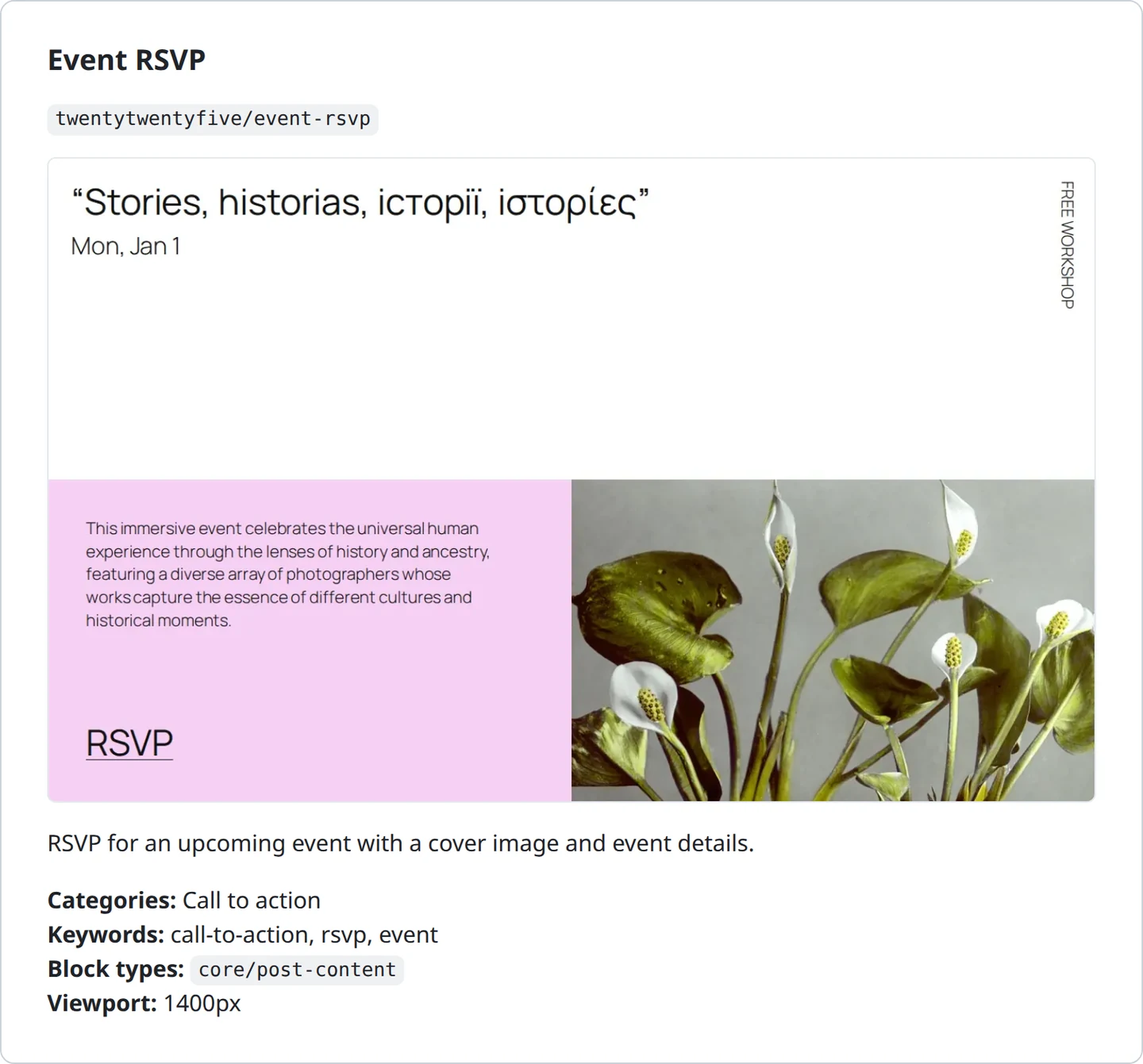
The preview is similar to the pattern previews in the editor “Add Pattern” interface, but pre-generated so that it’s easier to browse. It also includes extensible description and pattern metadata, for design reference. On a project with 50 or more patterns, this can be useful as end user reference documentation as well as for developer review and regression testing.
Purpose
Designed to make living project reference documentation easier to maintain. This is intentionally unopinionated about workflow, to address different requirements and use cases:
-
Can be run locally to generate preview screenshots while developing patterns. Example, developer runs it locally alongside a PR to generate previews of new patterns in development.
-
Can be run against a QA site to capture patterns with live content, for example in a CI action.
-
Can enable the plugin on a production site to capture patterns built in the editor in addition to the ones on disk, and then deactivate once no longer needed.
Use cases
I built this to address specific pain points that came up in development on projects:
- Is there already a pattern for this? Easier to look at pre-existing work before adding new patterns or blocks.
- What does
card-person-horizontalactually look like? You open the editor, insert it, look, undo. - Which of these three testimonial patterns did the design call for? The designer does not have an editor login, so you screenshot it and paste it into Slack. Again.
- What changed in the theme this sprint? Run a pattern library update automatically at reporting intervals.
- Where do these components from the source site migrate to in the new theme? Extend the pattern library markup to describe which fields in the source content populate each element in a pattern.
- Does this CSS rule break the rendering of any existing content? The output can be used in visual regression testing in CI workflows.
I’m sure there are workflows that I haven’t thought of yet. Feature requests or PRs welcome!
How it works
WP Pattern Library generator contains three separate packages, all of which are maintained and served from a single repo:
-
a WordPress plugin, installed or loaded the usual way. This provides a new front-end endpoint which will return a single rendered pattern, wrapped in the theme stylesheet and any block-specific enqueues. It also provides a manifest of patterns available on the site, configurable in a local config file.
-
an NPM package, which processes the manifest, collects screenshots of each pattern in a headless Playwright instance, and builds a set of Markdown pages with pattern details
-
a GitHub Actions workflow, which can be used to run the documentation generation in a workflow runner and open a pull-request or commit the changes directly to the repo.
Output
What you get is a directory you can commit:
docs/pattern-library/
├── README.md                    Index: every category, with counts
├── banner.md                    One page per pattern category
├── call-to-action.md
├── testimonials.md
└── screenshots/
    ├── hero-podcast.webp
    ├── hero-full-width-image.webp
    └── ...
Each pattern gets its screenshot, its description, its categories and keywords, its block and post types, and the viewport it was captured at. Because it is Markdown in the repository, it renders on GitHub, it is searchable, it diffs in pull requests — and when a pattern’s appearance changes, the changed screenshot shows up in review.
Ready? Get started.